Hatch Sleep
- 4.0
- Rating
- 1.00M
- Installs
- Free
- Price

 Analysis by App-foxy
Sleep apps often promise a calmer night, but I found that their real value depends on how easily they fit into the moments when you are already tired, distracted, or uncomfortable. Hatch Sleep is a lifestyle app from Hatch Sleep built around that practical problem: helping people prepare for sleep and create a more predictable bedtime environment. I used it less like a traditional wellness dashboard and more like a small nightly routine, paying attention to how clearly it communicates, how much effort it asks from the user, and how well it handles different sensory and everyday situations.
The app is free to download and is rated for Everyone, which makes it approachable for households with different ages and routines. It has been available since January 25, 2017, and its current version is 6.6.0. With an average rating of 4.0 from around 24 thousand ratings and over one million installs, it is clearly an established choice rather than a brand-new experiment. Still, popularity does not automatically make it suitable for every sleeper. Its strongest quality is the way it encourages consistency; its weakest point is that the experience can feel less useful if you want a completely open-ended, highly customizable sleep tool without paid extras.
How clearly the app communicates at bedtime
My first impression was that Hatch Sleep is designed for people who do not want to spend a long time configuring an app before bed. The useful information is presented in a lifestyle-oriented way rather than as a technical sleep report. That matters when your attention is low: a bedtime tool should not make you compare complicated charts or decode unfamiliar terms while you are trying to wind down.
You May Also Like

 Blood Strike: 2.5 Anniversary
Blood Strike’s Loadouts Turn Every Drop Into a Tactical Gamble
A close look at Blood Strike’s custom loadouts: how fast access to signature weapons reshapes its battle royale rhythm, rewards preparation, and narrows the gap between fights.

 Pandora - Music & Podcasts
Pandora’s Music Is Easy to Start, but Harder to Recover
Pandora’s strength is its low-effort path from a seed to a station. Its weak spot is how much confidence it asks you to place in connection, setup, and quiet recovery.

 8 Ball Pool
 Is Built on Rivalries, Rematches, and Routine
A close look at the rivalries, rematches, shared routines, and unanswered safety questions that turn a quick pool match into a persistent mobile community.

 Samsung Music
’s Quiet Strength Is Playing What You Already Own
Its reach comes less from spectacle than from dependable access to a personal library. That simplicity is both the app’s strongest retention engine and its ceiling.

 AccuWeather: Weather Radar
AccuWeather Review: A Quick, Clear Forecast for Everyday Decisions
For everyday plans, the best forecast is the one you can understand quickly. AccuWeather makes rain timing, radar, and local conditions easy to act on, with a few trade-offs.

 Hill Climb Racing
Why Hill Climb Racing Still Turns Crashes Into One More Run
A tiny car, a bumpy hill and one more upgrade: Hill Climb Racing keeps resurfacing because its simple chaos makes every near-miss feel personal.
More From Our News Desk



The interface is most comfortable when I approach it with one simple goal, such as setting up a routine or choosing something calming. The wording is generally friendly, and the overall concept is easy to understand even if you are new to sleep apps. I would not describe it as a clinical sleep-analysis platform. Instead, it works as a guided companion for creating a repeatable evening pattern.
For readers who rely on clear visual organization, the app benefits from being used before you are already in bed. I prefer to explore its choices earlier in the evening, then leave the routine ready. That small change reduces the need to read small labels or make decisions in dim light. It is also a useful approach for anyone whose concentration drops at night, including people dealing with fatigue, headaches, medication effects, or a busy household.
The most helpful accessibility-minded habit is to prepare the routine while you are alert, not when you are desperate to sleep. This is not a feature claim; it is a practical way to reduce the app's demands at the exact time when navigation is hardest. Once the plan is familiar, the app becomes less of an interactive task and more of a cue to begin settling down.
Readable enough, but not a replacement for system settings
Hatch Sleep can support a calmer visual experience, but the comfort of reading it still depends on your phone or tablet. If you need larger text, stronger contrast, screen magnification, or a particular color treatment, I would adjust the operating system first and then check how the app responds. People with low vision should not assume that every screen will be equally comfortable simply because the app has a calm design.
I also recommend avoiding last-minute browsing. A person with dyslexia, attention difficulties, or visual fatigue may find a long list of choices more tiring than expected. Choosing one familiar routine and keeping it consistent is more effective than repeatedly searching for the perfect option. In my experience, the app works best when it reduces decisions rather than becoming another library to manage.
Navigation is also easier when the phone is positioned where you can reach it without stretching or repeatedly lifting it. That sounds minor, but it changes the experience for users with limited hand strength, joint pain, tremors, or restricted movement. If the device is across the room, the app may be part of a larger sleep setup rather than something you operate continuously. Planning around that reality makes the routine more inclusive.
Sound, light, and sensory comfort
Sleep support is never purely visual. Some people relax with steady audio, while others are disturbed by any repeated sound. A sound-based routine can be comforting for a noisy home, a shared bedroom, or a mind that keeps returning to the day's worries. It can also be the wrong choice for someone with sound sensitivity, tinnitus, sensory processing differences, or a partner who needs silence.
I would treat every audio option as something to test gently rather than assume it will be soothing. Start at a low level, use it for a short period, and notice whether your body relaxes or stays alert waiting for the next change. If you share a room, headphones may seem like an obvious solution, but they can be uncomfortable for side sleepers and may reduce awareness of the environment. A separate device or speaker arrangement can be better, although that introduces more setup and may not suit everyone.
Light is another important consideration. A bedtime routine can be undermined if checking the phone exposes you to a bright screen. I found it more sensible to complete setup before turning down the lights, then use the phone only when necessary. People who are light-sensitive, prone to migraines, or easily awakened should keep the screen interaction brief and rely on the routine once it is ready.
Parents and caregivers may also use the app around children, but the same sensory differences apply. One child may find repeated sound reassuring; another may become focused on it and resist sleep. The app can support a consistent cue, but it cannot decide which sound, timing, or level will suit a particular child. Observation matters more than assuming that a sleep product labeled for everyone will feel the same to everyone.
Where it fits into real life
A realistic use case is a person who finishes work late, shares a home with others, and wants a reliable transition instead of an elaborate wellness ritual. I would prepare the desired routine before dinner, place the phone where it is easy to reach, and let the evening cue mark the point when work messages stop. The benefit is not a dramatic overnight transformation. It is the repeated association between a familiar sequence and the decision to stop doing stimulating tasks.
It can also help people whose schedules are irregular. If your bedtime changes because of shifts, caregiving, travel, or study, a consistent wind-down sequence may still be possible even when the clock time is not. I would keep the routine short enough to use on a difficult night. A plan that takes too much effort will be abandoned precisely when you need it most.
For someone living alone, the app can provide a gentle external prompt without requiring another person to manage the evening. For someone living with a partner, it can be useful if both people agree on the sound and timing. For a household with different needs, however, one shared routine may create compromise rather than comfort. In that situation, separate personal routines or a quieter alternative may be more practical.
People with hearing loss may find a sound-only approach less meaningful, so the app should be paired with a visual or tactile cue that already works for them. Likewise, users with limited vision may prefer to set everything up with accessibility tools on the device and minimize visual interaction afterward. These are sensible adaptations, but they depend on the phone, the environment, and the person's preferences rather than on a guarantee from the app itself.
What the free version means in practice
Hatch Sleep is free, which makes it easy to try without committing money first. That is valuable because sleep tools are personal: an option that relaxes one person can irritate another. The app also includes in-app purchases ranging from $4.99 to $99.99 per item, so I would pay attention to which parts of the experience are available at no cost and whether the paid material matches the way you actually intend to use it.
This pricing structure creates an important trade-off. If you only need a basic bedtime cue and a small amount of calming content, the free starting point may be enough. If you want a broader library or more elaborate routines, the cost can become more significant. I would not purchase immediately after one pleasant night. Give the free experience enough time to show whether you will use it consistently, then decide whether an upgrade solves a real limitation rather than simply adding more choices.
The app runs on operating systems version 10 or newer. That is worth checking before planning to use it on an older phone, especially if the device belongs to a child, an older family member, or someone who keeps a backup handset for accessibility reasons. A compatible device is part of the experience; no sleep routine is useful if the person cannot comfortably operate the hardware it depends on.
Where it falls short for different users
Hatch Sleep is not the right choice if you want rigorous medical assessment, detailed sleep-stage interpretation, or a substitute for speaking with a health professional about persistent insomnia. Its lifestyle focus can encourage a healthier routine, but a calming bedtime pattern does not explain every reason someone sleeps poorly. Snoring, breathing interruptions, pain, anxiety, medication effects, and other concerns require attention beyond an app.
I would also skip it if you dislike recurring bedtime audio or do not want another device involved in sleep. Some people sleep better with a paper book, a quiet room, or a simple alarm. Those options can be more accessible when screens, sound, or app navigation are tiring. A dedicated physical routine may also be preferable for someone who finds phones distracting or who is trying to keep technology out of the bedroom.
Another limitation is the risk of turning sleep into a performance. If you begin checking whether the routine is working every night, the tool can add pressure instead of removing it. I recommend treating it as a cue, not a test. Missing a night does not mean the system has failed, and extending the routine endlessly is not automatically better. The strongest result comes from making the process ordinary.
There can also be a mismatch between a person's needs and the app's general approach. A user with strong sensory preferences may need precise control over every aspect of sound and timing. Someone with motor limitations may need hands-free operation or a physical control that is easier to locate. Someone with cognitive fatigue may need fewer screens and fewer decisions. In each case, Hatch Sleep may still be part of a solution, but it should not be treated as the entire solution.
Small workflow changes that make it more useful
My first practical tip is to create a “minimum version” of the routine. Decide what you will do on an ordinary night and what you will do when exhausted. The shorter version is important because complicated plans collapse during illness, travel, deadlines, or caregiving. If the app can mark the beginning of winding down without requiring a long session, it is more likely to become a habit.
Second, separate setup from use. Explore choices in daylight, when text is easier to read and your attention is steadier. At night, keep the phone interaction to the smallest possible number of steps. This is especially useful for people with low vision, attention differences, hand pain, or sensory overload. It also reduces the temptation to keep scrolling through options instead of sleeping.
Third, test the routine in the actual environment where it will be used. A sound that feels pleasant in a quiet afternoon may be too noticeable beside a sleeping partner. A screen that looks comfortable in a bright room may feel harsh at night. A device placed on a bedside table may be easy for one person to reach and impossible for another. Accessibility is often determined by this context, not by the app alone.
Finally, judge the app by consistency rather than novelty. The store summary presents it as a way to support better sleep for everyone, but I think its realistic promise is narrower and more useful: it can help some people establish a repeatable transition into bedtime. That is meaningful, but it is different from guaranteeing better sleep or solving a complex sleep problem.
My inclusive verdict
After using it as a nightly routine rather than a sleep-science instrument, I see Hatch Sleep as a friendly option for people who want structure, calming cues, and a low-pressure way to begin winding down. Its free entry point makes experimentation straightforward, and its established presence on Android and iOS gives it a practical place in the lifestyle category. The developer is Hatch Sleep, and the app's broad Everyone rating reflects its general approachability, not identical comfort for every body, mind, room, or schedule.
For users with different abilities, the best experience comes from adapting the surrounding setup: enlarge the device interface if needed, prepare the routine early, keep light exposure low, test sound carefully, and position the phone within comfortable reach. Those steps can make the app easier to use, but they also reveal its boundaries. It is not a replacement for device-level accessibility tools, personal accommodations, clinical care, or a quiet non-digital routine.
I would recommend Hatch Sleep to someone who wants a repeatable bedtime prompt and is willing to spend a little time shaping the experience around their sensory and physical needs. I would be more cautious for anyone who needs advanced medical sleep analysis, fully hands-free control, exact customization, or a completely screen-free bedroom. In those cases, a simpler physical routine or a specialized health tool may be a better fit.
Overall, Hatch Sleep succeeds when it stays in the background. Use it to make bedtime more predictable, not to create another task to perfect. If a small, prepared routine helps you stop working, lower stimulation, and give your body a familiar signal that the day is ending, the app is worth trying. If it makes you monitor, browse, or worry more, that is a clear sign that a quieter alternative will serve you better.
FAQs for Hatch Sleep
01What is Hatch Sleep and how does it work?
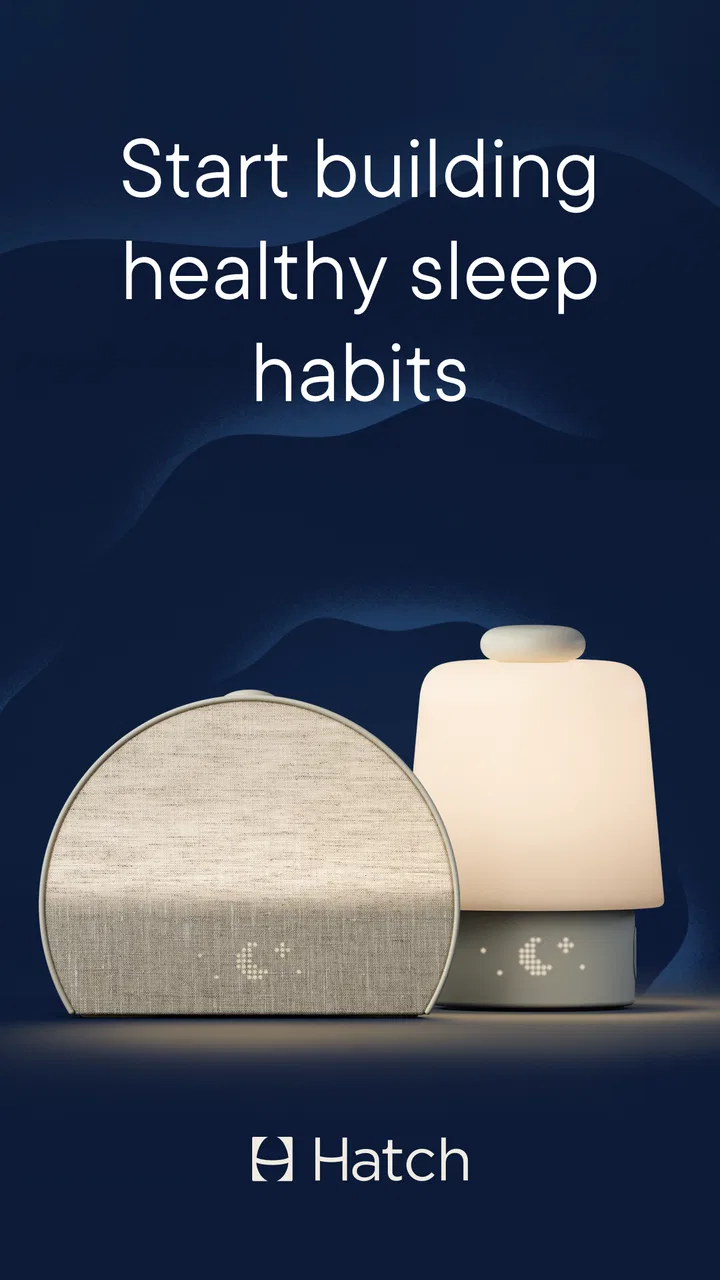
Hatch Sleep is a smart sleep device designed to enhance your bedtime routine and improve sleep quality. It combines a customizable sound machine, a smart light, and a sunrise alarm. You can personalize your sleep environment using the Hatch app, which allows you to adjust sounds, colors, and brightness, helping you fall asleep faster and wake up more refreshed.
02Is Hatch Sleep compatible with both Android and iOS devices?
Yes, Hatch Sleep is compatible with both Android and iOS devices. The Hatch Sleep app is available for download on the Google Play Store and the Apple App Store, making it accessible for a wide range of smartphones and tablets. Ensure your device meets the app’s system requirements before downloading.
03Can Hatch Sleep help with different sleep issues?
Hatch Sleep is designed to assist with a variety of sleep issues, including difficulty falling asleep, staying asleep, and waking up. The combination of soothing sounds, customizable lighting, and a gentle sunrise alarm can help mitigate problems like insomnia and improve overall sleep quality. Users can tailor settings to suit their specific needs.
04Does Hatch Sleep require a subscription for full functionality?
While the Hatch Sleep app offers basic functionalities for free, a subscription to Hatch Premium unlocks additional features. These include an expanded library of sounds and stories, advanced lighting options, and personalized sleep routines. Users can choose to utilize the free version or upgrade for a more comprehensive experience.
05How easy is it to set up and use Hatch Sleep?
Setting up Hatch Sleep is straightforward. After unboxing, simply plug in the device, download the app, and connect via Bluetooth. The app guides you through the process of customizing your sleep environment. The intuitive interface makes it easy for users of all ages to adjust settings and create a personalized sleep routine.
Pros
- Customizable sleep programs available.
- User-friendly interface for all ages.
- Integrates with smart home devices.
- Offers soothing soundscapes and lights.
- Tracks sleep patterns effectively.
Cons
- Subscription needed for full features.
- Limited free content options.
- May require initial setup time.
- Battery drain if used overnight.
- Not all features work offline.

Hatch Sleep
Gallery